Projects in Table View
To display the project list in a table view (similar to a spreadsheet), switch to Advanced mode. Click the three vertical dots in the upper right corner and activate Advanced mode.
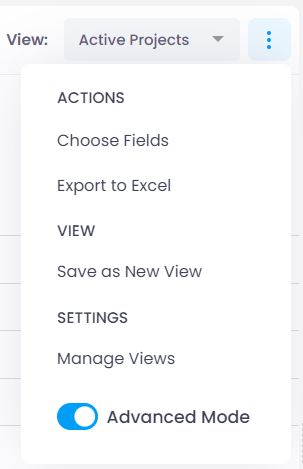
In table view, progress is calculated precisely in percentage. You can group by any parameter that has data stored in the projects. Custom fields defined for the Projects section (such as Risk) can be displayed as columns.
This view is best suited for desktop work. The Simple view is more suitable for smartphones and tablets.
If you still want to access the table view on a mobile device, save a view optimized for your screen size as a template on desktop. You can then select it on your mobile device under View.
For a detailed description of table view functions, see the help article on list views. The controls work the same way across all areas of InLoox Web App.