Add Columns to List Views
In the InLoox sections Projects, Tasks, Time, and People, you can customize list views by adding and removing columns.
- Click the three dots in the upper-right corner.
- Select Choose columns.
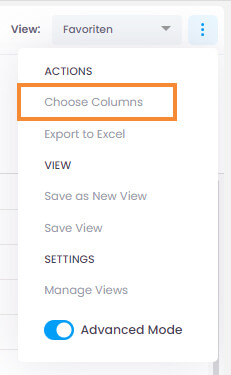
- From the columns menu, choose the column you need or use the search field.
- Drag the selected column into the list.
- To remove a column, simply drag it out of the list and release it.
- If you accidentally remove a column, click the undo button in the green bar at the bottom-left corner.

tip
For a complete list of all available columns in each InLoox section, see Overview: Columns in List Views.