Stopwatch
The InLoox stopwatch allows you to record the time spent on a task precisely to the minute and assign it directly to a project.
This feature was released with version 11.5.2 and is only available in InLoox Web App.
You can start the stopwatch either in the task itself or from the Workplace.
Start the Stopwatch in a Task
-
Open a project-related task of your choice.
-
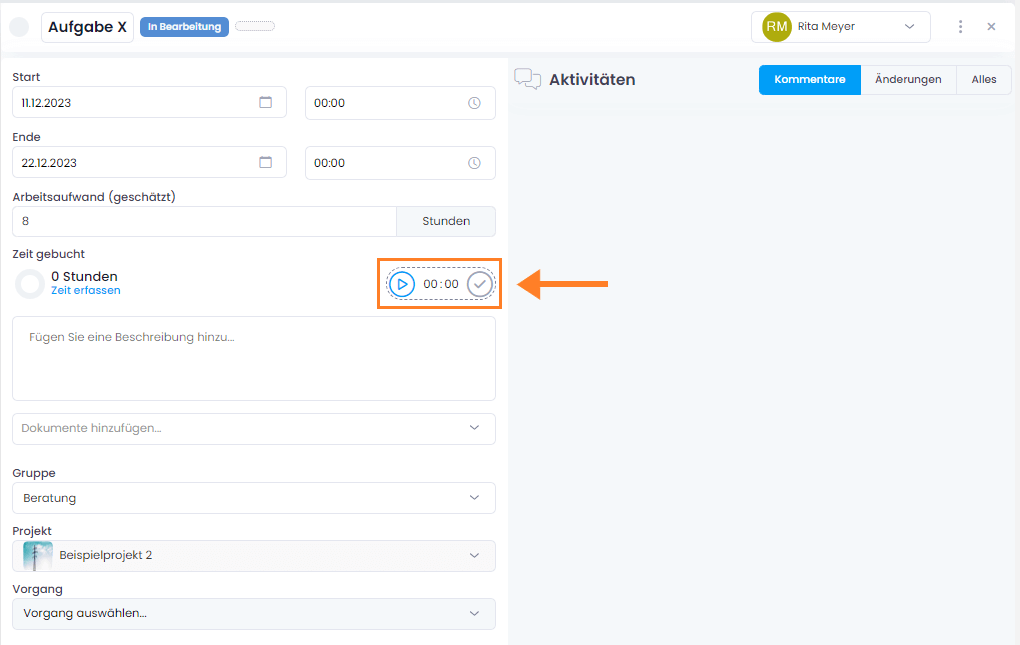
In the task, you can record time manually as usual, or use the stopwatch on the right.
-
Click the play button to start the stopwatch.
-
The stopwatch runs until you either:
- Pause it by clicking the two vertical lines

- Stop it completely by clicking the checkmark to book the recorded time to the project

- Pause it by clicking the two vertical lines
The duration and end time are transferred to the corresponding time entry. To add further details (e.g., a description), open the time entry.
When the stopwatch is running, you can see it in the status display at the top left of the menu. There you'll find all tasks with active stopwatches. You can pause, restart, book time, or delete the stopwatch from here.

The stopwatch can be paused and restarted as many times as needed — times are accumulated.
Only one stopwatch can be active at a time. Activating a stopwatch for a new task automatically pauses the previous one.
Start the Stopwatch in the Workplace
As an alternative, you can start the stopwatch from the Workplace view.
Next to each task, you'll find a small play icon that starts time tracking with a single click.
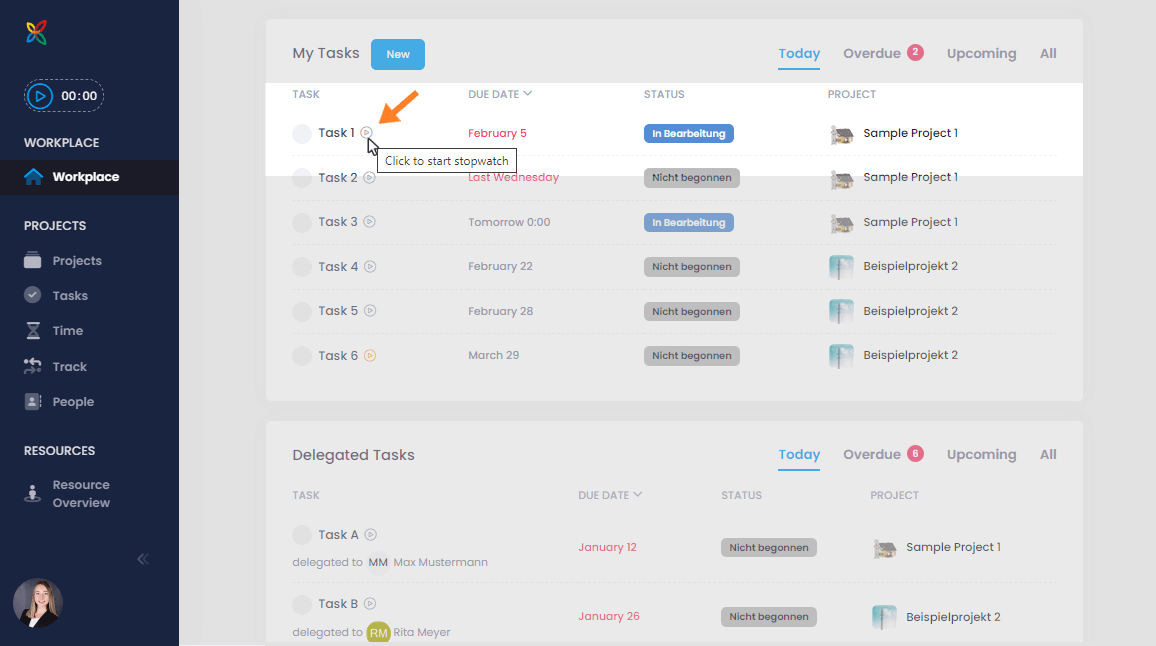
When the stopwatch is running, a red blinking button appears next to the task.

Clicking the red button pauses the stopwatch. The play button turns orange, indicating time has been recorded but not yet booked.

To stop the stopwatch completely and book the time, use the status display at the top left and click the checkmark.